


 kradcliffe
In sample editor you can create an edit of a video sample as a .mp4 file.
I have tried this and although my home folder is on D drive it seems to want to save the sample to C drive. When I hit the disc icon to save the file is nowhere to be found on either C drive or D drive.
I'd like to use the .mp4 file to make a video I can run with all the samples both audio and video rather than having to trigger them individually.
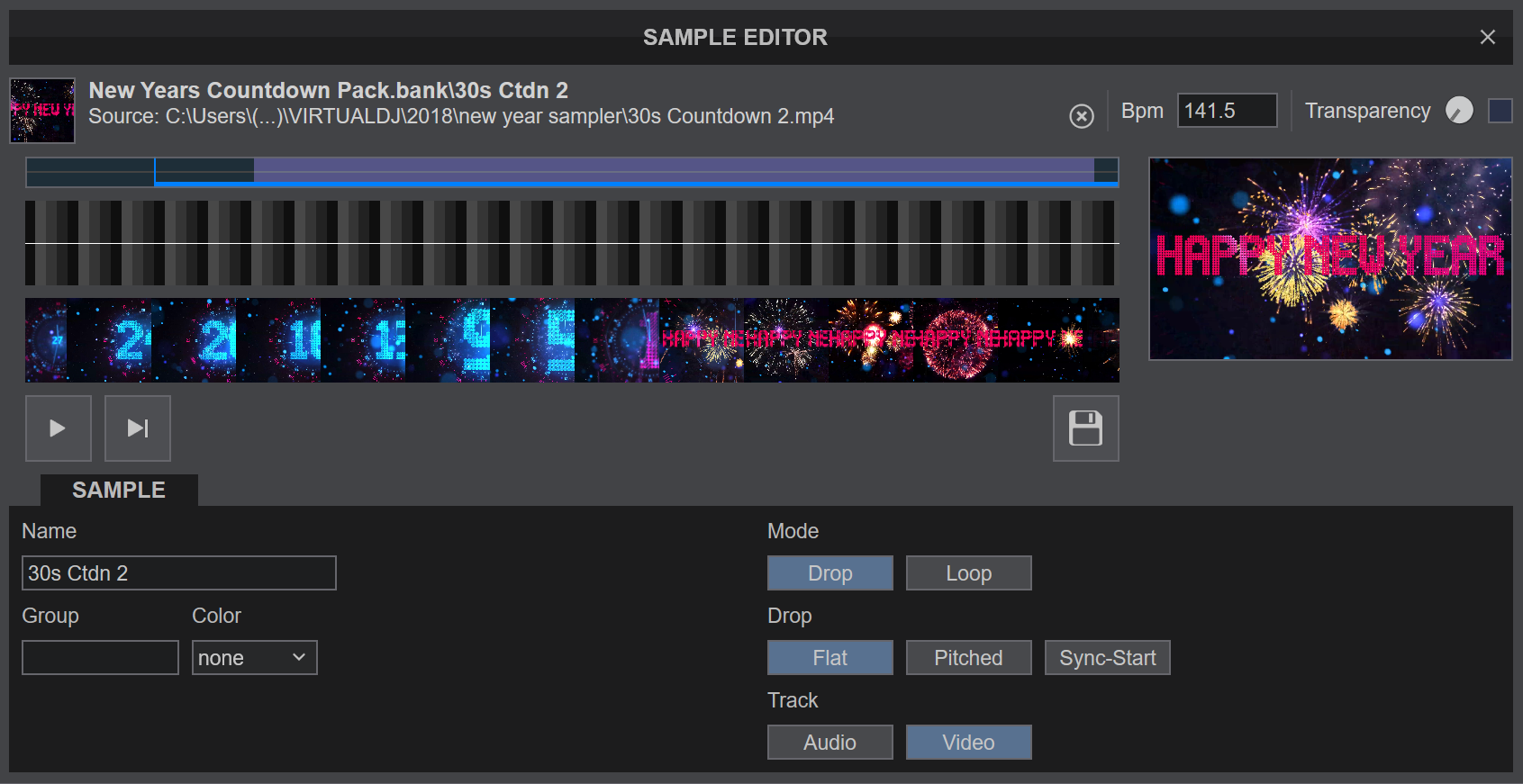
I have tried this and although my home folder is on D drive it seems to want to save the sample to C drive. When I hit the disc icon to save the file is nowhere to be found on either C drive or D drive.
I'd like to use the .mp4 file to make a video I can run with all the samples both audio and video rather than having to trigger them individually.
Posté Wed 31 Dec 25 @ 9:45 am
 Adion
Adion
It should be in your VirtualDJ folder under Sampler\New Years Countdown Pack.bank\30s Ctdn 2.vdjsample
Posté Wed 31 Dec 25 @ 10:07 am
kradcliffe
Hi Adion,
Yes the .vdjsample file is there in the correct location, but how do I edit the file to save as .mp4?
It's in the home folder in D drive however the editor is saying it's on C in a folder that doesn't exist?
Thanks!
Yes the .vdjsample file is there in the correct location, but how do I edit the file to save as .mp4?
It's in the home folder in D drive however the editor is saying it's on C in a folder that doesn't exist?
Thanks!
Posté Wed 31 Dec 25 @ 10:09 am
 groovindj
From a post by NICOTUX in 2020:
Why do you need it to be MP4 specifically? Are you going to play it outside of VDJ?
Quote :
Quick look: Recorded samples are only MKV with extra VDJ header:
Media info gives correct infos
00: "VDJ\0"
04: a 4 bytes int ???? Version ?
08: a 4 bytes int Index of mkv or HeaderSize
...
Index: 1A 45 DF A3 A3 42 start of MKV signature
remove leading HeaderSize bytes and rename .mkv then the will file will play on any media player
Quick look: Recorded samples are only MKV with extra VDJ header:
Media info gives correct infos
00: "VDJ\0"
04: a 4 bytes int ???? Version ?
08: a 4 bytes int Index of mkv or HeaderSize
...
Index: 1A 45 DF A3 A3 42 start of MKV signature
remove leading HeaderSize bytes and rename .mkv then the will file will play on any media player
Why do you need it to be MP4 specifically? Are you going to play it outside of VDJ?
Posté Wed 31 Dec 25 @ 10:15 am
kradcliffe
The reason I need .mp4 (or unencrypted video format) is that rather than having to trigger both audio and video samples at exact times, I could use Premiere Elements to make a complete video of the visual countdown, vocal countdown, happy new year audio, fireworks visual and auld lang syne in one file that could be played at one minute to 12. Saves having to get the timing right to trigger them all individually.
Posté Wed 31 Dec 25 @ 10:26 am
Adion
There is currently nothing built-in to export a sample as mp4.
You can indeed cut the vdj header, which will give you the embedded file, but note that this may not contain the exact edits done in the sample editor (partically cuts)
You can indeed cut the vdj header, which will give you the embedded file, but note that this may not contain the exact edits done in the sample editor (partically cuts)
Posté Wed 31 Dec 25 @ 10:27 am
kradcliffe
Maybe I'm being silly, but when you go in to the sample editor it specifically states the file is .mp4 as below which made me think it would be saved as that format.

Failing that, could you please let me know how to change the header. Thanks!
Failing that, could you please let me know how to change the header. Thanks!
Posté Wed 31 Dec 25 @ 10:30 am
Adion
No, it just mentions that the source of this sample was the mp4 located at that path.
If you are the one who created the sample, then you can get the mp4 at that location if you didn't delete it :p
If you are the one who created the sample, then you can get the mp4 at that location if you didn't delete it :p
Posté Wed 31 Dec 25 @ 10:33 am
kradcliffe
That source location doesn't exist though, my home folder is on D drive. Also the files in the zip are downloaded from the VDJ website and are all .vdjsample and have never been modified. That's why I'm confused.
I just created a new sample bank, dragged in the zip file from my D drive but still it reports as being on C drive and .mp4 which they are not.
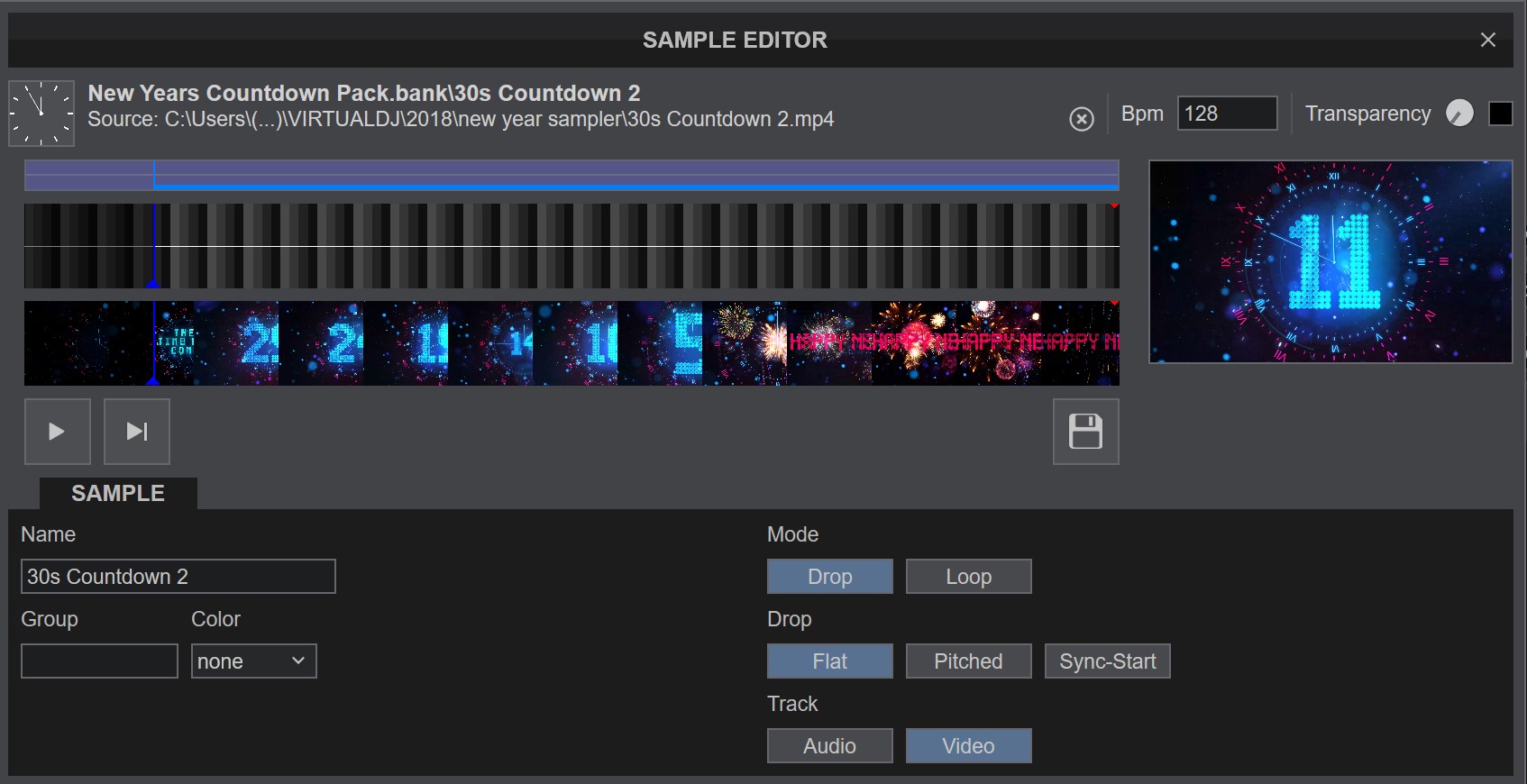
I just created a new sample bank, dragged in the zip file from my D drive but still it reports as being on C drive and .mp4 which they are not.
Posté Wed 31 Dec 25 @ 10:36 am
 locoDog
Play the sample while video recording?
Posté Wed 31 Dec 25 @ 10:38 am
kradcliffe
locoDog wrote :
Play the sample while video recording?
Tried that but it won't start the recording if there's no audio on the sample.
Posté Wed 31 Dec 25 @ 10:44 am
groovindj
Change the record options so it's not waiting for audio...
Posté Wed 31 Dec 25 @ 10:47 am
Adion
kradcliffe wrote :
That source location doesn't exist though, my home folder is on D drive. Also the files in the zip are downloaded from the VDJ website and are all .vdjsample and have never been modified. That's why I'm confused.
So you are not the author of the samples, and did not create them, so that's why you don't have the original mp4's
Posté Wed 31 Dec 25 @ 10:49 am
kradcliffe
Yes, that's correct.
As suggested I've managed to record them in VDJ so that's sorted, thanks.
Still be interested to see why they are being identified incorrectly in the editor though.
As suggested I've managed to record them in VDJ so that's sorted, thanks.
Still be interested to see why they are being identified incorrectly in the editor though.
Posté Wed 31 Dec 25 @ 10:51 am
Adion
It's not incorrect, it is showing the source that this vdjsample was made from.
(Normally someone creating a sample bank for sharing could turn on samplerDontSaveSource to hide this source though, since it's indeed not relevant for other people)
(Normally someone creating a sample bank for sharing could turn on samplerDontSaveSource to hide this source though, since it's indeed not relevant for other people)
Posté Wed 31 Dec 25 @ 11:00 am
groovindj
Yes, I've just had a look at the file and the path is from Rune's PC, as he created the pack.
I've also just stripped out the VDJ header and saved it as MKV if you need it.
I've also just stripped out the VDJ header and saved it as MKV if you need it.
Posté Wed 31 Dec 25 @ 11:04 am
kradcliffe
Thanks for your help guys and apologies for the confusion.
I'm all sorted now, have just made a video file with all the visual and audio samples I can run at 23:59:00 so it all happens perfectly in time for midnight.
I'm all sorted now, have just made a video file with all the visual and audio samples I can run at 23:59:00 so it all happens perfectly in time for midnight.
Posté Wed 31 Dec 25 @ 11:30 am