


Win11-KB5074105
Controller not working after Windows Update
If your MIDI controller is properly detected in VirtualDJ, and you are getting the Detection Window on startup with the device visible in the Controllers tab of Settings, but none of the keys or buttons are controlling VirtualDJ, there is a possibility the new Windows MIDI service is installed on some Windows Updates* which could cause this.
This is installed along with the latest updates for Windows 25H2 and most likely 24H2. Affected updates include:
- KB5074105
- KB5077181
- KB5077241
Until Microsoft offers an update to fix the MIDI service, you will have to uninstall this update.
Right-click on the Windows Start button and chose "Settings".
On the left-side menu choose "windows Update". You will then see all the updates your computer has installed sorted by date.
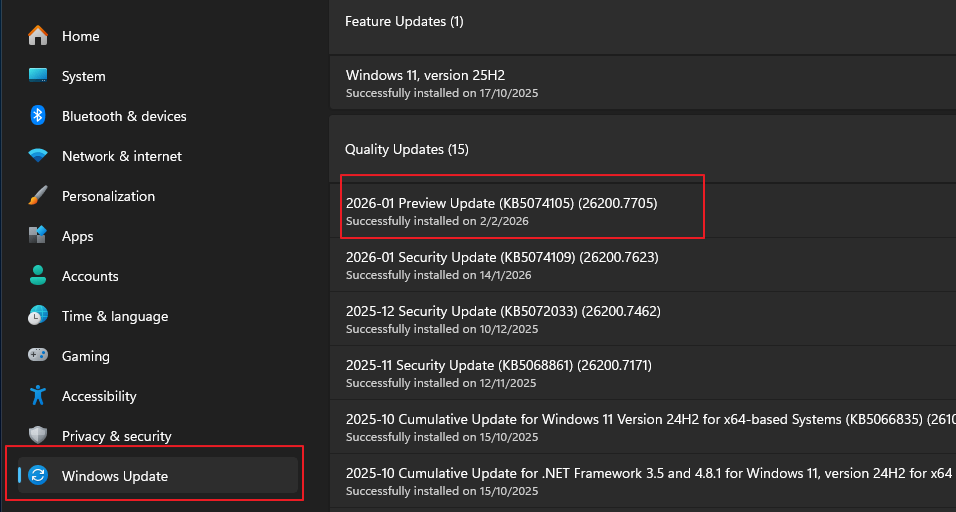
Look for the 2026-01 Preview Update (KB5074105) (26200.7705) to verify the installation. If you don't see this, then you have probably not installed it and your controller should work. If not please see Controller Not Working
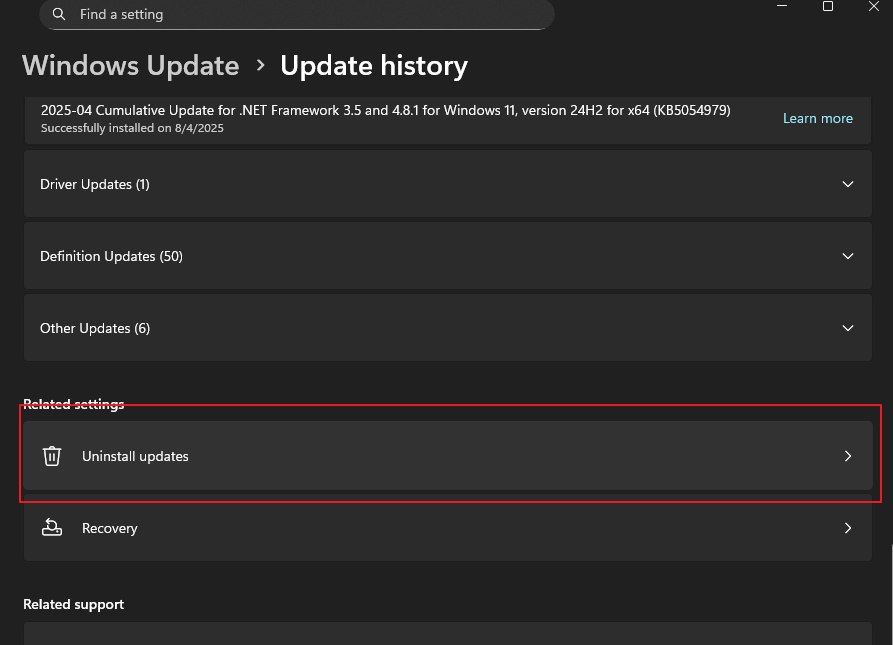
If you see the above, then scroll down and click to "Uninstall Updates".
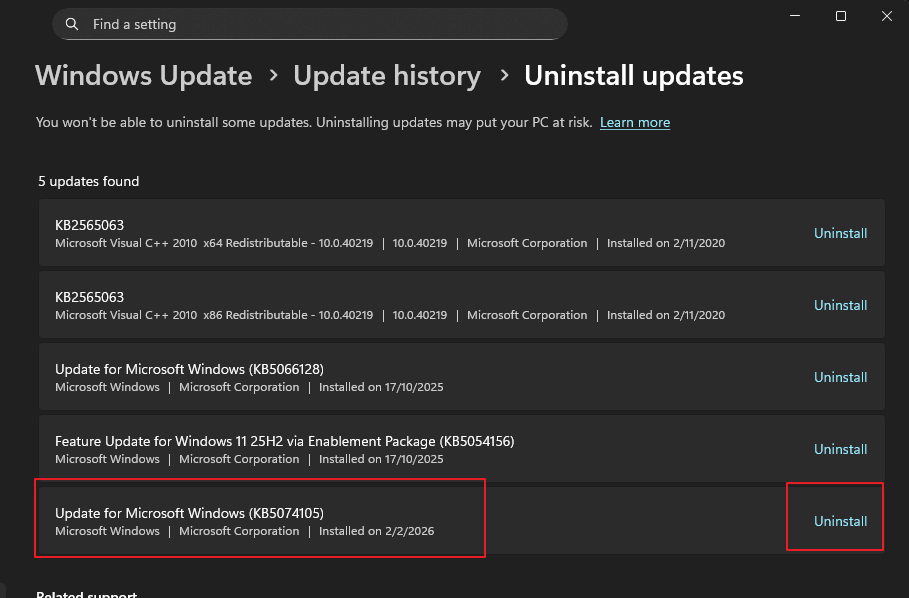
Find the update mentioned above and click to "Uninstall"
On the prompt window, choose "Uninstall"
.png)
Note that uninstalling this update will not put your computer at risk, as it has been confirmed from many other users.
Restart your computer and your controller should work fine with VirtualDJ again.
In some cases Windows may provide a "Could not uninstall" message. If this situation occurs it will need to be force uninstalled from the Windows Command Prompt. Please see the following in order to perform this operation:
Can't uninstall windows update
While this issue is ongoing, it is best to disable Windows Updates by going to Settings>Windows Update and selecting Pause Updates

*It is always best to avoid Preview Updates whenever possible as they can break functionality with different apps and hardware.