


 Rog-DJ
I'm deep into programming a LaunchControl MK1 for stems control.
If you are not familiar with the device it has 8 LED pads and 2 rows of 8 knobs.
Page 1 controls basic stems ie knob 1 top row is vocal stem, 2 = instr, 3 = kick, 4 = hihat, 5 =bass
knob2 1-4 = Vocal, instr, rhythm, bass left deck on/off
and second row of knobs and buttons 5-8 is right hand deck.
NOW I want to control Stem FX ona different page
butons to select which FX 1= echo, 2 = reverb, 3= looproll, 4=beatgrid etc
Knobs to control stem on which it operates knob 1 = left deck vocal, knob 2 = instr etc
I'm struggling with the stem FX controls - is there a video or instructions somewhere? Can I use pads to select stem for both decks?
I can post the code that works if you need.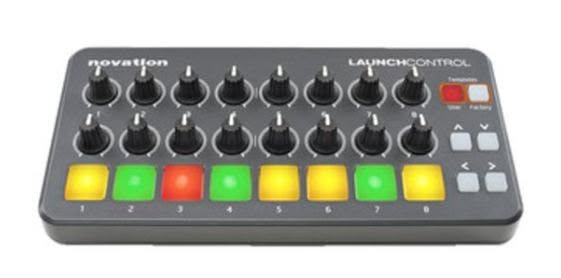
If you are not familiar with the device it has 8 LED pads and 2 rows of 8 knobs.
Page 1 controls basic stems ie knob 1 top row is vocal stem, 2 = instr, 3 = kick, 4 = hihat, 5 =bass
knob2 1-4 = Vocal, instr, rhythm, bass left deck on/off
and second row of knobs and buttons 5-8 is right hand deck.
NOW I want to control Stem FX ona different page
butons to select which FX 1= echo, 2 = reverb, 3= looproll, 4=beatgrid etc
Knobs to control stem on which it operates knob 1 = left deck vocal, knob 2 = instr etc
I'm struggling with the stem FX controls - is there a video or instructions somewhere? Can I use pads to select stem for both decks?
I can post the code that works if you need.
Posté Sat 20 Jun 26 @ 12:01 pm
 locoDog
there's effect_stems STEMNAME which makes all called fx apply to to selected stem.
then there's effect_slider STEMNAME FXNAME SLIDERNUMBER for the dial
and effect_active STEMNAME FXNAME OPTIONALSTATE to call, without state it's a default toggle, possible states are 1|0|-1 or ON|OFF|TOGGLE
then there's effect_slider STEMNAME FXNAME SLIDERNUMBER for the dial
and effect_active STEMNAME FXNAME OPTIONALSTATE to call, without state it's a default toggle, possible states are 1|0|-1 or ON|OFF|TOGGLE
Posté Sat 20 Jun 26 @ 1:08 pm