


Kontrol MX2
Performance Pads
The 8 RGB performance Pads offer different functionality depending on the selected mode and the assigned Pads page. See further details in VirtualDJ Manual - Pads
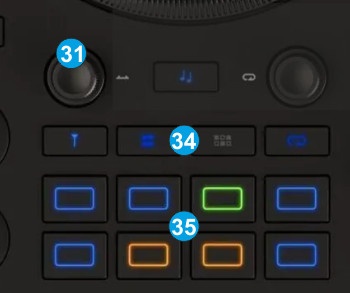
- PAD MODES: The device offers 4 primary modes pre-assigned to the 4 mode buttons and 4 secondary ones with holding SHIFT and then pressing one of the mode buttons.
Primary modes :
● Hotcues
● Stems+FX
● Sampler
● Loop Roll
Secondary modes (with SHIFT) :
● Keycue
● Stems
● Beatjump
● Loop
Modes can be split, combining 2 primary modes. See Split Pads pages in VDJ Manual
All modes can be assigned to different Pads pages.
The 2 Parameters of the assigned Pad page can be controlled from the MOVE Encoder [33].
- Push the encoder to enter the Pads Parameter mode. The led of the selected Pads mode will blink as an indication.
- Rotate the MOVE encoder [33] to adjust the 1st Parameter of the assigned Pads page (if exists)
- Hold SHIFT down and then rotate the MOVE encoder [33] to adjust the 2nd Parameter of the assigned Pads page (if exists) - PADS 1-8: The 8 RGB-led Pads perform different actions depending on the selected Pads mode/page as above.